Skip to main content How to Login to Email & Blackbaud
Table of contents
- Login to your Email
- Login to your Blackbaud
Login to your Email
- Login by click here https://portal.office.com/
- Enter your school email and password
- You should be navigated to email page
Login to your Blackbaud
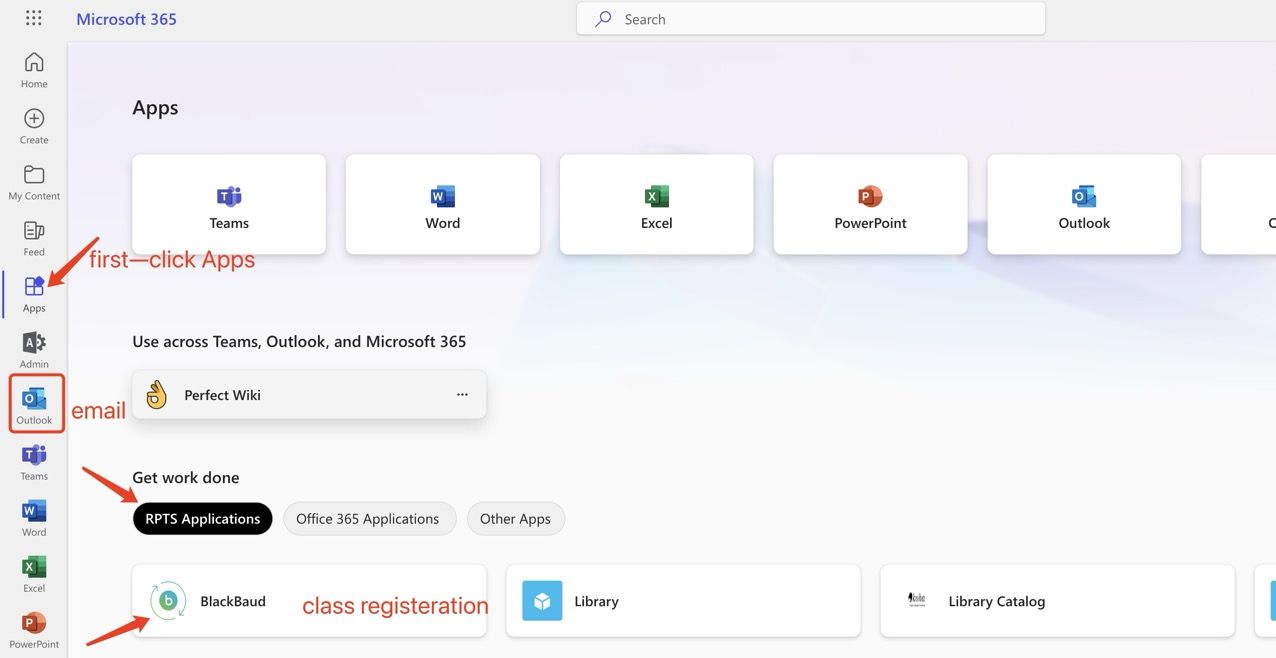
- At your email page, Click Apps( located at left side toolbar) > RPTS Application > Blackbaud
- Enter your school email and it should login